
 Official Canva Workflow
Learn Canva
in 7 Days.
A 7-day live online Canva course for beginners. Create professional social media posts, posters, thumbnails and marketing designs — even if you've never designed before.
Telugu-Friendly Teaching
Simple Telugu + English explanations.
- Beginner Friendly
- 7 Days • 1 Hour Daily
- Telugu-Friendly
- Canva + Design Thinking
- Limited Seats Only
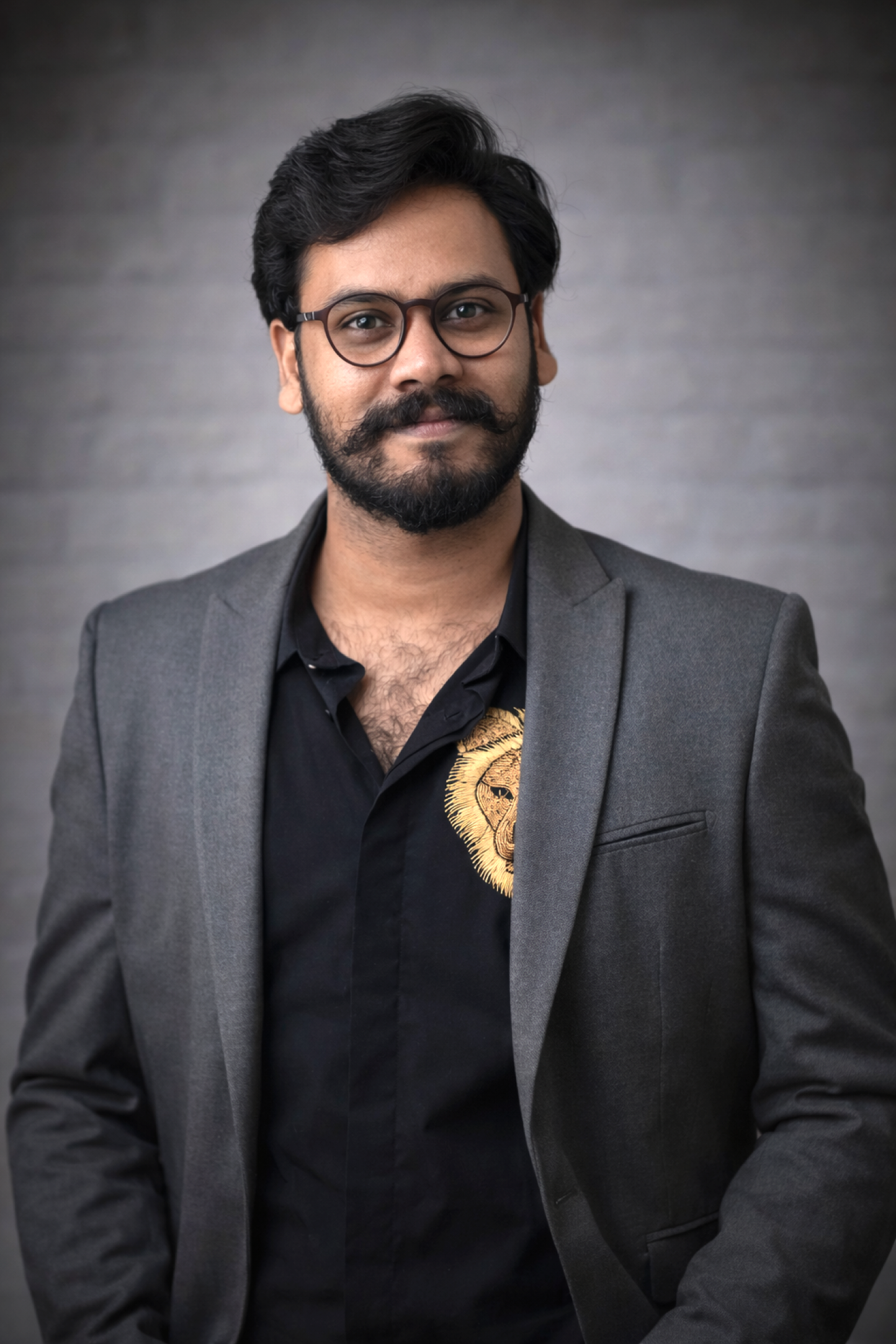
Sreedhar
Founder @ Truly Academy
Your Canva Course Mentor
7
Days of Learning
1 hr
Daily Practical
₹449
Course Fee
40+
Students Mentored
10+
Years Experience
100+
Projects Delivered
240+
Websites Delivered
40+
Students Mentored
A Simple Path to Learn Canva in 7 Days.
Three practical phases that take you from Canva basics to creating real, professional designs and earning with them.
Phase 01
Learn Canva
Understand Canva properly and build your design fundamentals before jumping into templates.
- Canva Interface
- Pages & Layers
- Shapes & Images
- Typography
- Colour Basics
- Visual Style
Phase 02
Practice Design
Create real marketing content — posts, thumbnails and creatives — and speed up with Canva AI.
- Instagram Posts
- Stories
- YouTube Thumbnails
- Ad Creatives
- Canva AI
- Magic Tools
Phase 03
Start Earning
Bring it all together with a real client-style project and learn how to start earning with Canva.
- Client Briefs
- Design Direction
- Portfolio
- Exporting
- Freelancing
- Canva Services
Not Just Canva Tools.
We Teach You How to Design.
Most tutorials teach “click here, use this template, change this colour.” We also teach the design thinking that makes your work look professional.
Design Thinking
Learn hierarchy, typography, colour and composition — not just clicks and templates.
Telugu-Friendly
Understand every design concept with simple Telugu + English explanations.
Practical Daily Tasks
Every day includes a hands-on task, so you learn by actually designing in Canva.
A Day-by-Day Path to Designing with Canva.
Each day builds on the last — from Canva basics to a real client-style project you can use to start earning.
Day 01
Canva Basics + Design Mindset
- Canva interface
- Pages, elements & layers
- Shapes and images
- Uploads & templates
- Basic design workflow
- How designers approach a design
Task: Create your first social media post
Day 02
Typography + Layout
- Choosing fonts
- Font combinations
- Font size & hierarchy
- Alignment & spacing
- Clean layout structure
Task: Design a promotional poster
Day 03
Colours + Visual Style
- Colour basics & combinations
- Brand colours
- Backgrounds & contrast
- Building a consistent visual style
Task: Create a branded Instagram post
Day 04
Social Media Design
- Instagram posts & stories
- Offers & business promotions
- Event creatives
- Carousel designs
Task: Create a complete social media campaign
Day 05
Thumbnails & Marketing Creatives
- YouTube thumbnails
- Ad creatives & banners
- Product offers & posters
- Contrast + hierarchy + strong visual focus
Task: Create a high-impact thumbnail
Day 06
Canva AI + Smart Tools
- Canva AI features
- Background removal & magic tools
- AI-generated content
- Image editing & resize tools
- ChatGPT + AI tools with Canva
Task: Build one complete design using AI + Canva
Day 07
Real Project + Earning With Canva
- Understand a client requirement
- Find references & set design direction
- Design from scratch & present your work
- Export correctly
- Build a simple portfolio
- Start offering Canva design services
Task: Create a real-world client-style project
Who Is This Course For?
Perfect for anyone who wants to create clean, professional designs with Canva.
Students
Learn a practical creative skill alongside your studies.
Beginners
Start graphic design without complicated software.
Freelancers
Create social media and marketing designs for clients.
Small Business Owners
Create your own promotions without depending on a designer.
Content Creators
Create better posts, thumbnails and promotional creatives.
Social Media Managers
Design content faster for multiple brands.
Sreedhar Setti
Founder — Truly Academy
Learn With Sreedhar
Founder of Truly Academy. 10+ years across Graphic Design, Branding, UX/UI, Websites, Digital Products and AI Tools. His simple idea: don't just learn tools — learn how to think and create like a designer.
- Simple Telugu + English Teaching
- Real Project Examples
- Daily Practical Tasks
- Design Thinking First
- Canva + AI Workflows
- Earning Guidance
10+
Years Experience
100+
Projects
240+
Websites
60+
Branding Kits
40+
Students Mentored
What Students Love About Truly Academy
Real stories from students who built their design confidence and creative skills with Sreedhar Garu at Truly Academy.
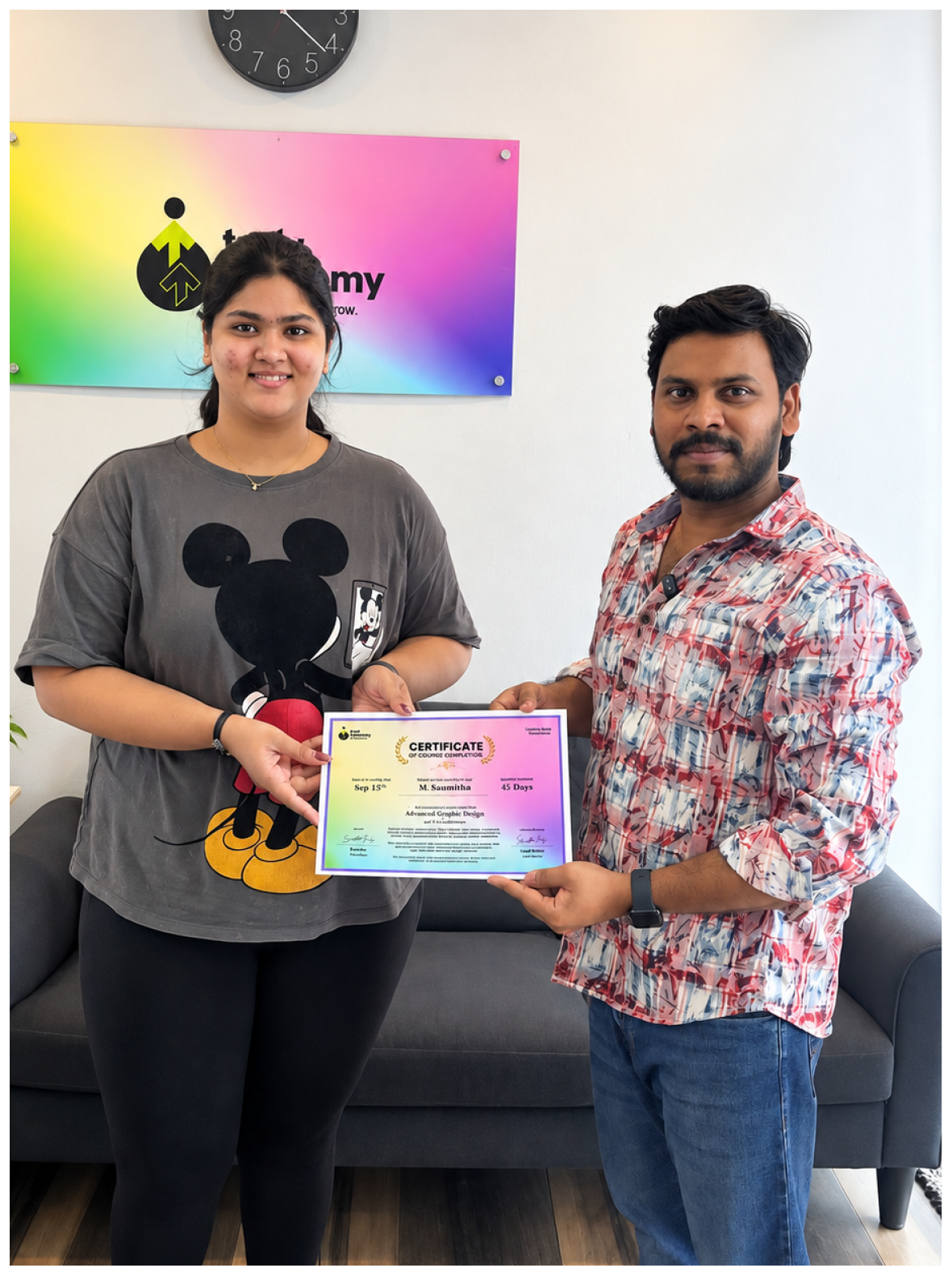 🎓 Verified Certificate
Sushmitha Mallipudi
Advanced Graphic Design
Graphic Design Student
"I had a really good experience taking the graphic design course here. The lessons were clear and easy to understand, and sir explained the concepts patiently while answering our questions and addressing our doubts. The course covered practical graphic design learning in a structured and easy-to-follow way, which helped me build my understanding and apply what I learned during the classes. The sessions were comfortable, well organized, and supportive. I learned a lot and truly enjoyed the overall experience. Definitely a great place to learn graphic design!"
Want to be our next success story?
Experience our practical, Telugu-friendly teaching style firsthand. Join the next 7-Day Canva batch.
Start Creating in Just 7 Days.
7 live online classes • 1 hour daily • Telugu-friendly • practical learning. No previous design experience required.
Limited Seats for Each Batch — Reserve Your Seat Now
See How We Teach Canva + Design
Get a glimpse of how we teach Canva and design thinking in a simple, practical and Telugu-friendly way.
Frequently Asked Questions
Everything you need to know before joining the 7-Day Canva course.
Yes. The course starts from Canva basics and gradually moves into practical design — no previous experience needed.
No. You can start with Canva Free. Pro features can be demonstrated separately during the classes.
No. You'll also learn basic design concepts like typography, colours, hierarchy, spacing and layout — the thinking that makes designs look professional.
Yes. Every class includes a practical task so you learn by actually designing.
Yes. This course is suitable for students, freelancers, creators, business owners and complete beginners.
A laptop or desktop is recommended for the best learning experience.
Your First Better Design Is Just 7 Days Away.
Learn Canva. Learn Design. Start Creating.
You don't need expensive software or years of experience — just 1 hour a day.